From launch to sign-off, one conversation at a time.

Here's one review cycle in Dialogyx™, from the admin pressing Launch to the employee acknowledging their review. Every screen below is the real app, with a fictional team: Jordan, a software engineer, Maya, their manager, and Sam, who runs the cycle.

1

Set up your people and your template

The admin adds people one at a time or imports a spreadsheet (CSV): name, email, job title and manager. A template sets the competencies, guiding questions, rating scale and Colombyx™'s tone.

Then the admin picks who's reviewed and who gives peer feedback, sets the deadlines and launches. Everyone gets an email invite, and signs in with a link. No passwords.
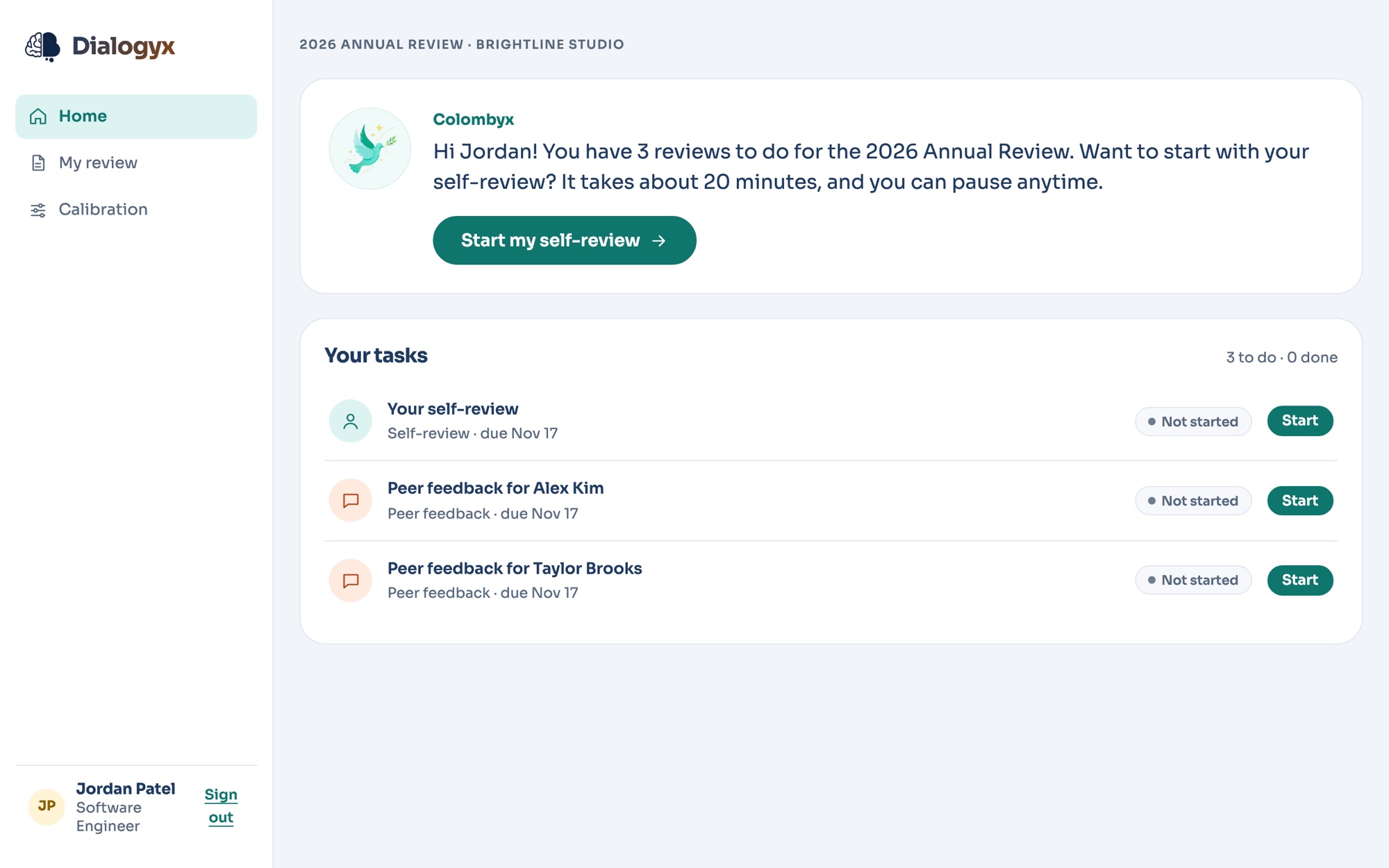
Jordan's home screen after launch. Colombyx says Jordan has 3 reviews to do and suggests starting with the self-review, which takes about 20 minutes. Below it, a task list: the self-review and peer feedback for Alex and Taylor.
2

The self-review chat

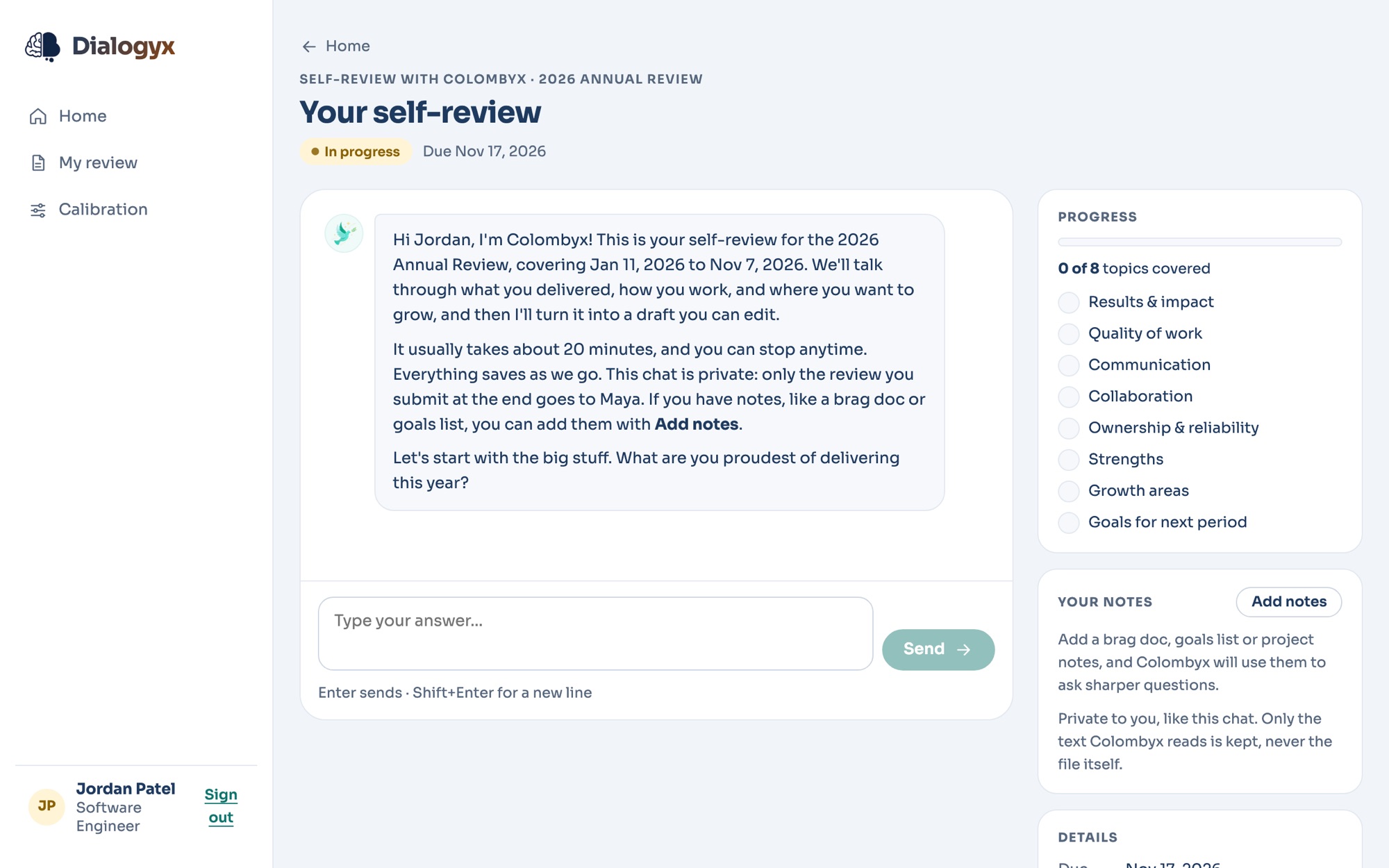
Colombyx asks about what you delivered, how you work, and where you want to grow, one question at a time. A progress panel shows which topics are covered. It takes about 20 minutes, and you can stop and come back anytime.

Have notes already? Add a brag doc or goals sheet (PDF, Word or text), or paste text in, and Colombyx uses it.

Colombyx opens Jordan's self-review: what the chat covers, about 20 minutes, private, and the first question. The side panel shows 0 of 8 topics covered and a place to add notes.
3

Peer feedback

The admin picks each person's peers. Each peer has a short chat with Colombyx (about 10 minutes) about someone they work with.

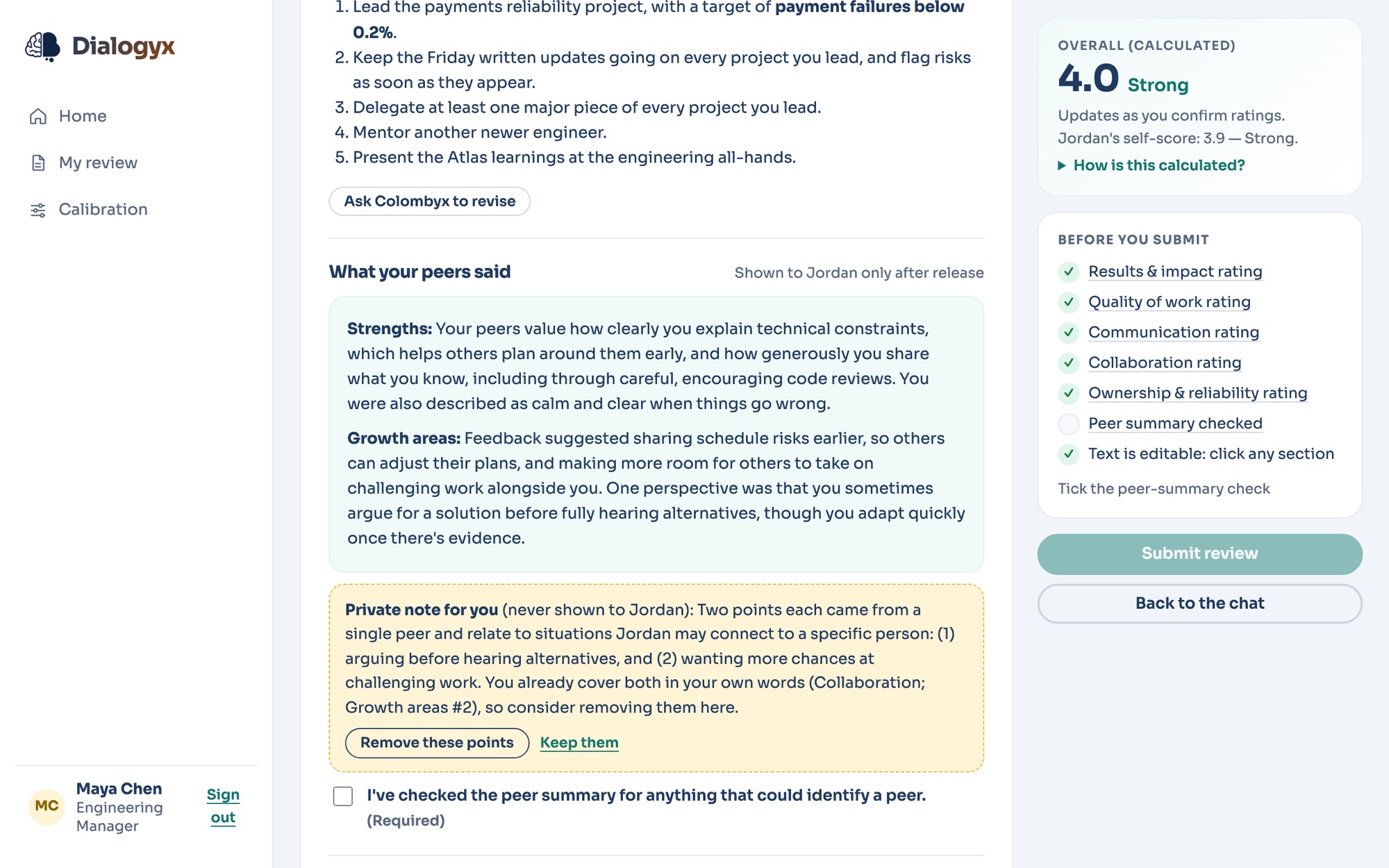
The person being reviewed never sees who said what. They see a summary Colombyx writes, with no names. If a point might give a peer away, Colombyx tells the manager privately and offers to remove it.

Maya's draft of Jordan's review, showing the anonymous peer summary of strengths and growth areas, a private note to Maya that two points might identify a peer with a button to remove them, and a required check that the summary can't identify anyone.
4

The manager review

The manager's chat starts with everything so far: the submitted self-review and the peer feedback. Colombyx asks about what the manager has seen, points out neutrally where their view differs from the self-review or the peers, and helps them land on fair, evidence-based ratings.

What the manager's chat can see

  • The employee's submitted self-review
  • Each peer's submitted feedback, with names (the manager may see who said what)
  • The manager's own notes, if they add any

What it never sees

  • Anyone else's chat. Conversations stay private to the person who had them.
5

Drafts and ratings

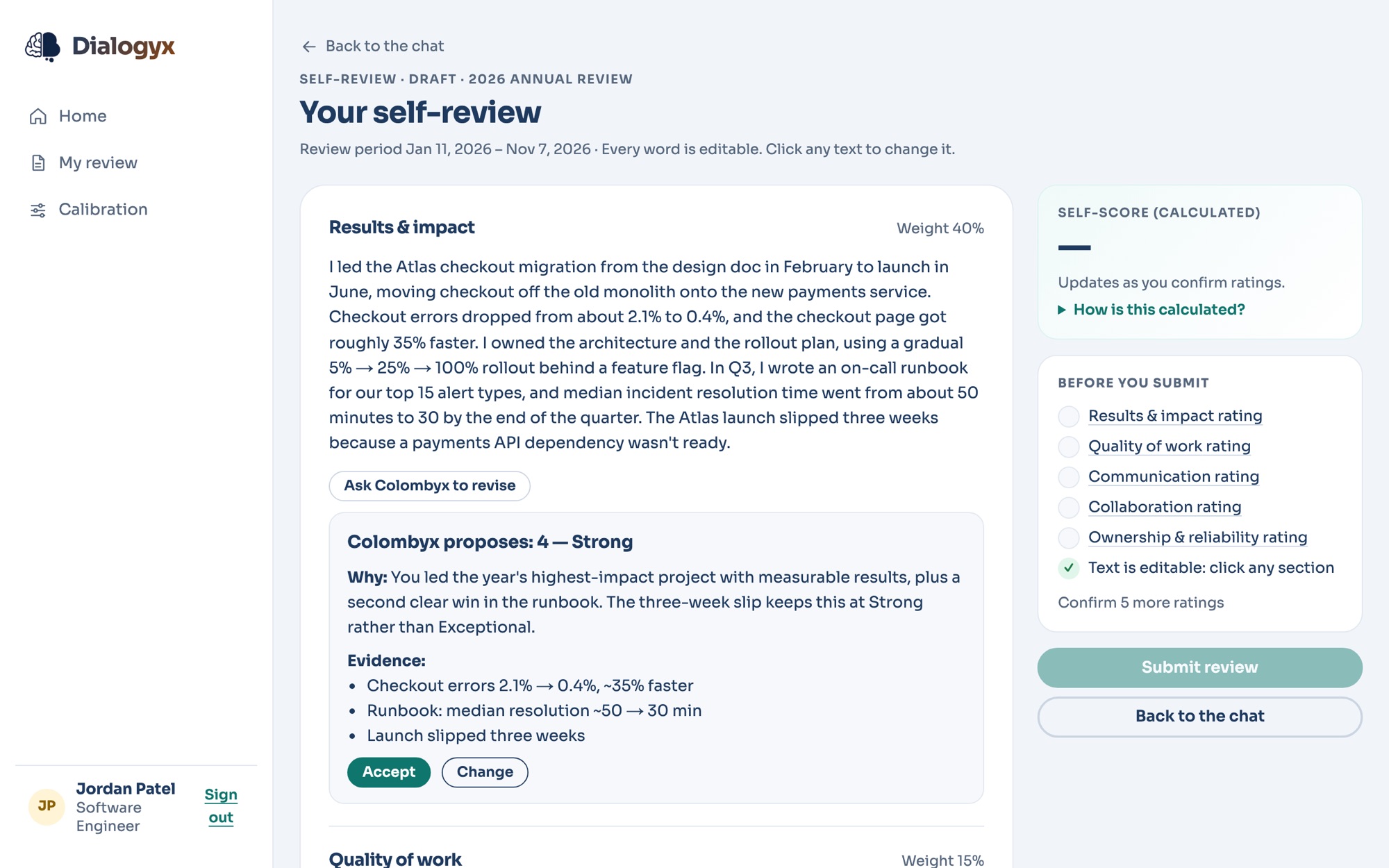
At the end of each chat, Colombyx writes the draft only from what was said, uploaded or submitted. It never makes anything up. Each rating comes with a reason tied to the evidence.

Every word is editable. Ask Colombyx to revise rewrites a section on request. A person confirms every rating, and the overall score is calculated from the section ratings, not typed in.

Jordan's self-review draft. The Results and impact section, then Colombyx's proposal of 4, Strong, with the reason and the evidence it relied on, and buttons to accept or change it. A checklist on the right shows the ratings still to confirm.
6

Calibration

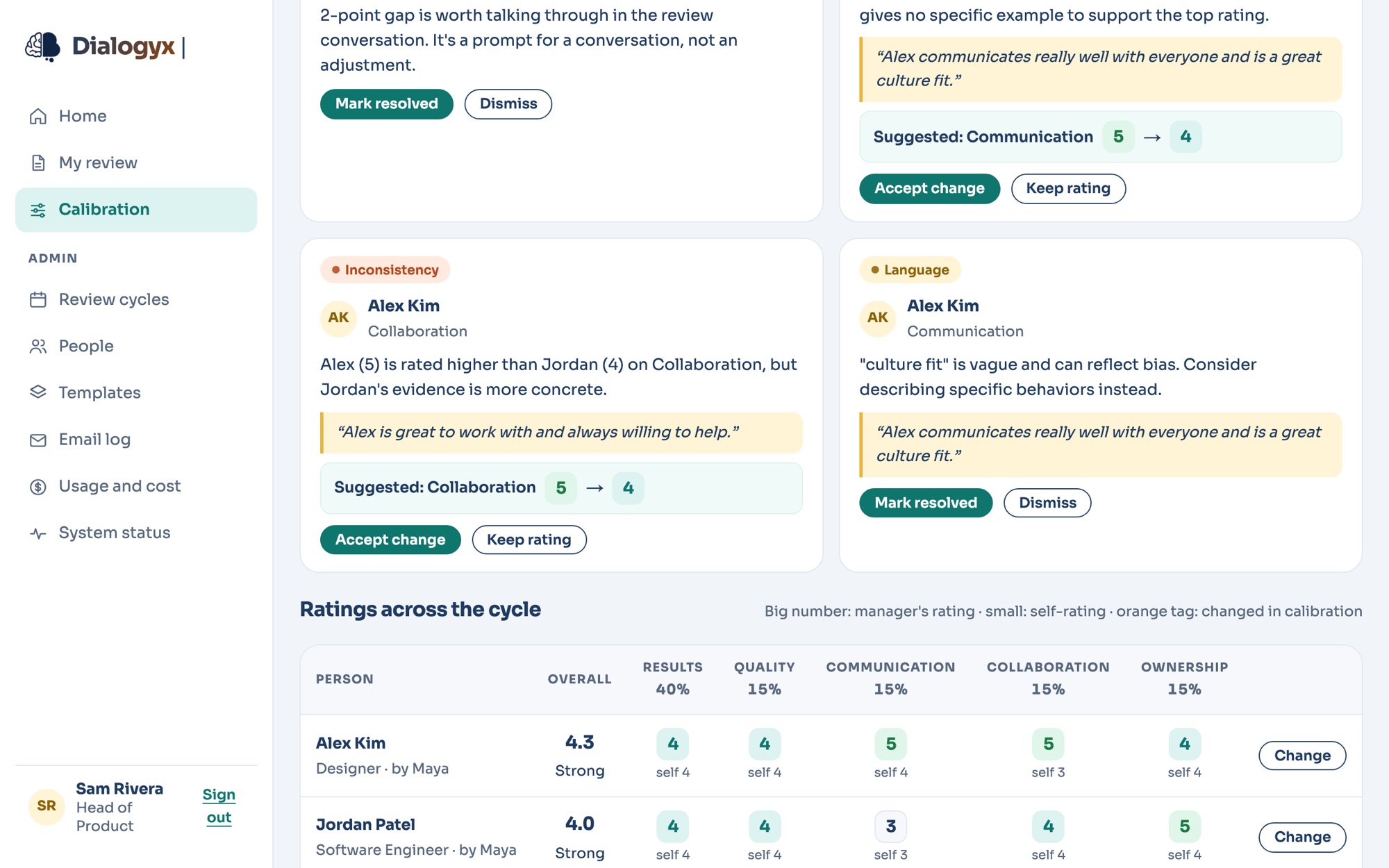
Before anything is released, ratings across the company are compared side by side, so that "4, Strong" means the same thing whoever your manager is. Colombyx flags likely problems:

  • a rating that doesn't match the evidence
  • a manager who rates much higher or lower than the others
  • similar work rated very differently
  • a big gap between someone's self-rating and their manager's
  • vague language that can hide bias, like "not a culture fit"

People make every decision. Managers see only their own reports.

The calibration board. Colombyx's flags on Alex's review: a Collaboration rating higher than Jordan's despite thinner evidence, and the phrase "culture fit" flagged as vague. Below, a table of each person's ratings by section, with self-ratings beside them.
7

Release and acknowledge

The manager releases the review. The employee reads it, can add a comment, and acknowledges it. Reviews download as PDF or Word.

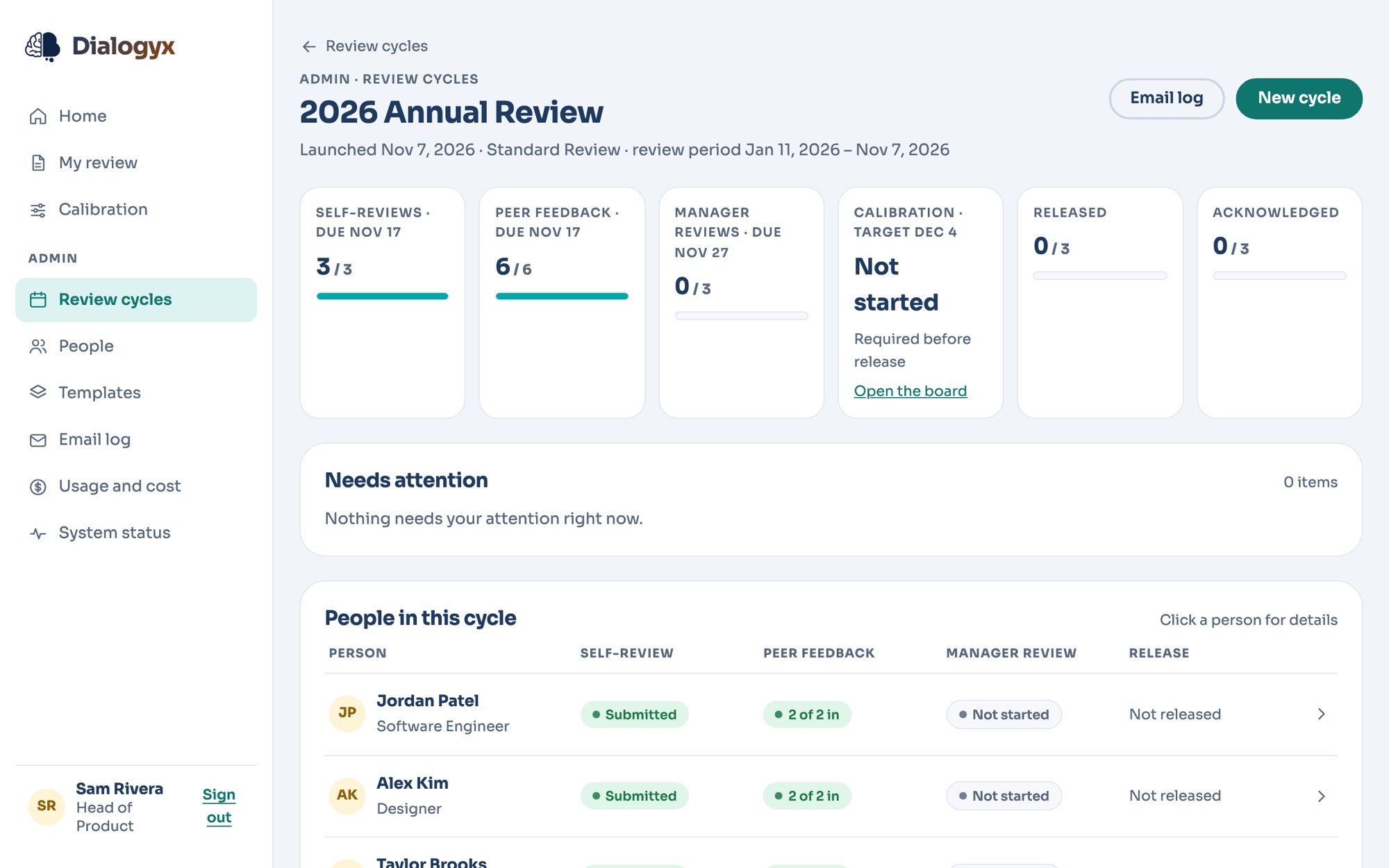
Along the way, the admin's cycle dashboard shows who's done what, with a Nudge button. Reminder emails go out three days and one day before each deadline.

Sam's cycle dashboard for the 2026 Annual Review: counts for self-reviews, peer feedback, manager reviews, calibration, released and acknowledged, and a table of each person's progress.

What each person does

Admins

  • Keep the people list
  • Build templates
  • Launch cycles and pick peers
  • Track progress and nudge
  • Run calibration

Managers

  • Review each direct report by chatting
  • Check the anonymous peer summary
  • Take part in calibration for their reports
  • Release the review

Employees

  • Do a self-review by chatting
  • Edit and approve the draft
  • Read, comment on and acknowledge the final review

Peers

  • Give feedback on a colleague in a short chat
  • Stay anonymous to the person they reviewed

One person can have several roles. A manager also does their own self-review and gives peer feedback.

See it with your own team

Dialogyx is in private preview. Join the early access list and we'll be in touch.

Get early access